
WAREHOUSE WEIGHING INTEGRATION PHONE SHADED1

WEIGHING DATA WHERE YOUR SYSTEM NEEDS IT

Warehouse Weighing Integration with ERP and WMS

From the forklift forks to your business software. Without an ERP development project.

Key capabilities:

Request a Quote Become a reseller
WAREHOUSE WEIGHING INTEGRATION DESKTOP

WEIGHING DATA WHERE YOUR SYSTEM NEEDS IT

Warehouse Weighing Integration with ERP and WMS

From the forklift forks to your business software. Without an ERP development project.

Key capabilities:

Every organization is different. The integration has to fit yours.

A forklift weighing system that does not connect to your ERP or WMS becomes a manual step repeated every shift.

Operators write down weights, re-enter numbers into the system, or walk to a terminal to complete the transaction. Over time this creates delays, errors and unnecessary process steps.

At the same time, integrating new hardware into an existing IT environment is rarely simple.

ERP development projects compete with other priorities. Cybersecurity policies differ between organizations. Some operations run entirely on Wi-Fi networks, others on wired infrastructure, and many warehouses have areas without reliable coverage.

LOGIWEIGH does not offer a single integration method.

Instead, we provide a range of hardware connectivity options and software integration paths. Together with your IT team we identify the combination that requires the least effort on your side while still delivering reliable weight data to your operational systems.

Step 1: How the weight data leaves the scale

Before the data reaches your ERP or WMS, it must first leave the forklift scale. LOGIWEIGH indicators support several communication paths to match different warehouse infrastructures.

Wired Serial

RS232 output connects directly to a local terminal, PC or printer.

No network configuration is required.

This method is typically used in operations where forklifts periodically return to a fixed workstation such as a packing station or shipping desk to transmit weight data.

Wi-Fi or Bluetooth

The weighing indicator can transmit weight data over the warehouse Wi-Fi network or via Bluetooth 5.0 to a paired device.

No additional hardware is required.

This option works well in warehouses where forklifts operate continuously within reliable network coverage.

Cellular with Built-In Modem

Some warehouse environments include outdoor yards, loading zones or remote areas without Wi-Fi coverage.

For these situations LOGIWEIGH offers a weighing indicator with a built-in cellular modem.

Insert a SIM card and the system connect automatically.

No IP configuration, no external modem and no additional setup are required. This approach allows forklifts to transmit weight data even when operating outside the main warehouse network.

Step 2: How your ERP or WMS receives the data


The hardware connection determines the communication channel. The software integration determines how the system understands the weight value.
LOGIWEIGH supports several integration methods, from the simplest approach requiring no development to fully automated real-time data exchange.

HOT KEY

The operator presses a designated key on the keyboard of the forklift's onboard computer terminal.

The weight value is inserted directly into the active field of any open software on that terminal, exactly as if the operator typed it manually.

No software development is required. This method does require that the terminal has a physical keyboard.

This method is often used when the WMS already includes a field for weight entry but does not provide an API.

Weight File Output

LOGIWEIGH provides an executable tool that the ERP or WMS calls directly.

The ERP or WMS developer integrates this call into the workflow, for example triggered by a "Weigh" button in the interface or automatically at a defined point in the process such as after a goods receipt confirmation.

When called, the tool queries the weighing indicator, retrieves the current weight value, and writes it to a local file. The ERP or WMS then reads that file and processes the data.

This method is suited to development teams who can call an EXE from within their system and read a local text file, but whose environment does not support calling external services or APIs directly.

information-technology

WebService Integration

LOGIWEIGH provides a WebService layer that communicates directly with the ERP or WMS using a request-response protocol.

Weight values are transferred in real time together with order or job context.

This integration path is used by several LOGIWEIGH customers operating systems such as SAP and Priority.

Cloud API

For operations with internet connectivity, LOGIWEIGH can transmit weighing data to a secure cloud endpoint.

External systems then retrieve the information through a REST-based API.

This approach works particularly well for modern cloud-based WMS platforms or organizations operating multiple warehouse sites.

Tested and deployed integrations


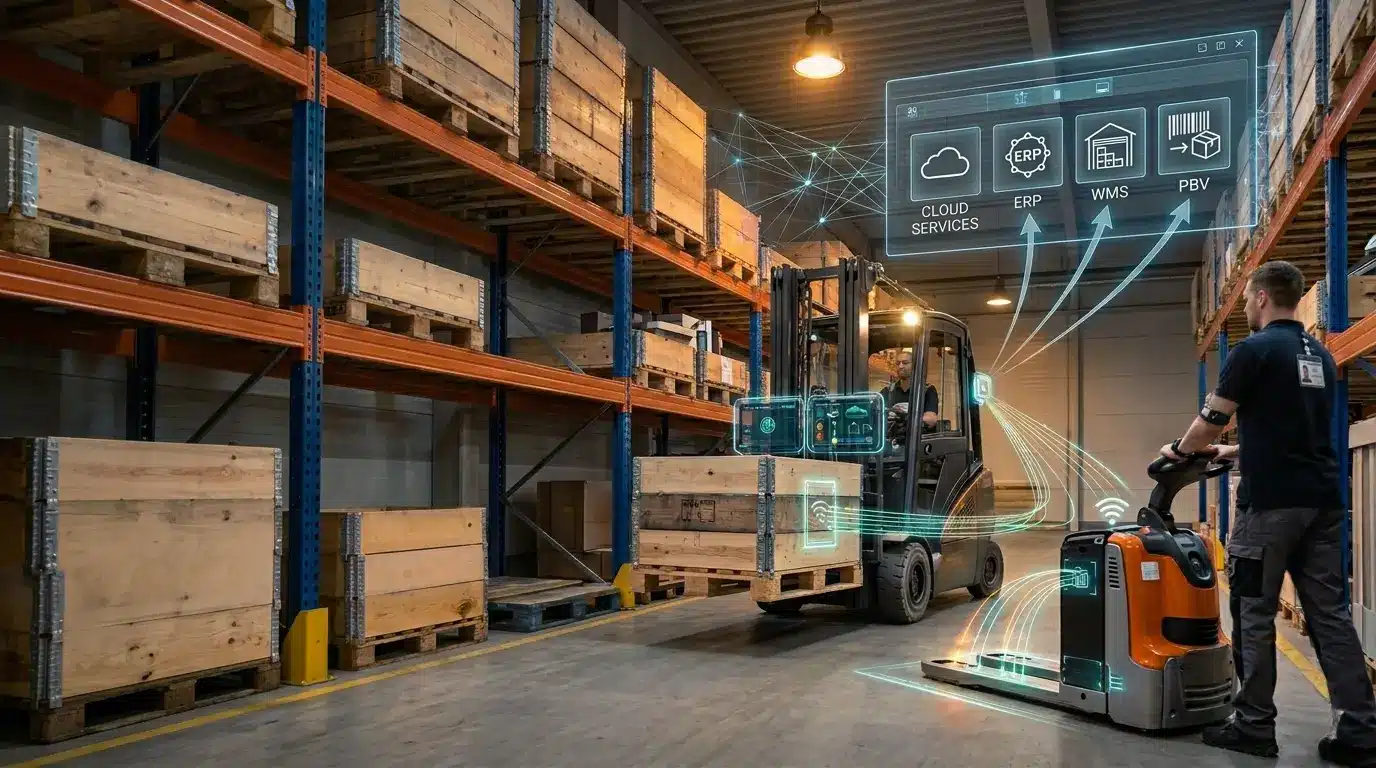
LOGIWEIGH weighing systems are actively used in production environments connected to several warehouse management and ERP platforms.
Examples include:

  • SAP WM
  • SAP EWM
  • Priority ERP
  • ZETES PBV (voice-directed picking)
  • Third-party warehouse management systems
  •  

If your ERP or WMS platform is not listed here, contact us with the system name and version. We will confirm the appropriate integration method.

What your IT team will ask


ERP and WMS changes are usually treated as development projects.
They require approval cycles, test environments and deployment windows. As a result, integrations that appear simple on the operational side often become delayed or postponed.

LOGIWEIGH’s approach is to identify the integration method that requires the least intervention on the ERP side.

In many deployments the ERP simply receives a weight value through a channel it already monitors, such as a file reader or existing interface.

Cybersecurity policies also vary widely.

Some organizations prohibit external API calls. Others restrict adding new devices to the internal network.

We discuss these constraints with your IT team before recommending an architecture.

Some integration solutions are built around a single method: dedicated software installed on a local Windows PC, communicating over WLAN. This works well in environments designed for it. LOGIWEIGH takes a different approach: we assess the network infrastructure, IT constraints and ERP architecture already in place, and recommend the integration path that fits your environment rather than requiring you to adapt to ours.

What we need from your IT team


  • ERP or WMS platform and version

  • Network topology (wired, Wi-Fi, cellular, air-gapped)

  • Whether the ERP can call external services or only receive files

  • Any cybersecurity constraints regarding new devices

From there, LOGIWEIGH designs the integration architecture.

Questions from operations and IT teams

Q: Does integrating LOGIWEIGH require changes to our ERP?

A: Not necessarily. The HOT KEY and file output methods require no ERP development. WebService and API integrations require a connection configuration but usually no modification to the core ERP system.


Q: We have no Wi-Fi coverage in part of our warehouse. Can LOGIWEIGH still transmit weight data?

A: Yes. LOGIWEIGH offers a weighing indicator with a built-in cellular modem. A SIM card enables automatic connection and weight transmission even outside Wi-Fi coverage.


Q: Which ERP and WMS platforms has LOGIWEIGH integrated with?

A: Confirmed deployments include SAP WM, SAP EWM, Priority ERP and ZETES PBV voice picking systems. Integration with additional WMS platforms is possible using the available connectivity methods.


Q: Our IT security policy restricts external API access. What options do we have?

A: Yes. Some deployments use multiple integration paths. For example, weight data may be transmitted to SAP while also confirming transactions within a voice picking platform.


Q: How accurate are forklift weighing systems when integrated with ERP or WMS systems?

A: LOGIWEIGH forklift weighing solutions typically provide accuracy around 0.1% of the lifted load, depending on the specific product and forklift configuration. The integration method does not affect weighing accuracy; it only determines how the measured value is transmitted to the business system.


Tell us which ERP or WMS you use. We will recommend the simplest integration path.

Integration questions are usually resolved fastest through a direct discussion.

Contact LOGIWEIGH with details about your ERP or WMS platform, network structure and any IT constraints.

We will confirm the applicable integration method and what will be required on your side.

Not sure which weighing solution fits your operation?
Start with the guide: The 6 questions you should ask before choosing a forklift scale